Smart TV Control Systems in Qatar
Simplify the way you manage TVs and entertainment devices with a professionally configured smart TV control system.
Windosoft Technologies provides TV automation solutions in Qatar for villas, apartments, hotels, restaurants, offices and commercial environments.
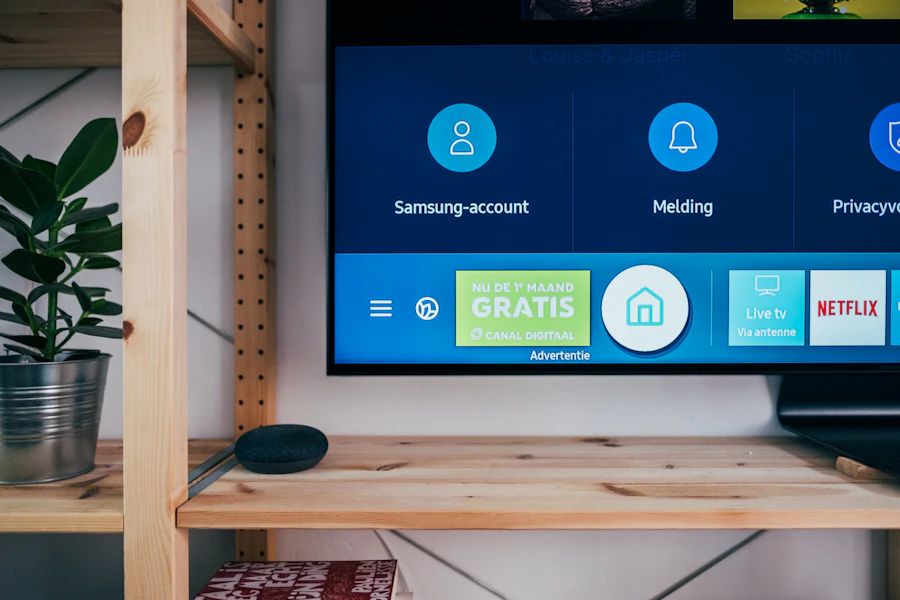
Depending on device compatibility, TVs, set-top boxes and selected entertainment equipment can be brought into a centralized control environment using compatible mobile applications, universal remotes, wall panels or automation interfaces.
Instead of managing multiple remotes across multiple rooms, create a simpler entertainment experience designed around your property.
Get Started Call: +974 770 369 53Why Use a Centralized TV Control System?
A modern entertainment setup may involve a TV, set-top box, streaming device and sound system, each potentially using a different control method. The problem becomes even greater when a villa, hotel or commercial property has screens in several rooms.
With an appropriately configured system, users can manage compatible devices more conveniently and create automated routines for selected screens.
Centralized TV & Media Management
For properties with several TVs, a centralized control interface can simplify everyday operation. Depending on the selected automation platform, compatible devices can be organized according to:
- Living Room
- Majlis
- Bedrooms
- Reception
- Meeting Rooms
- Restaurant Areas
- Hotel Common Areas
Authorized users can then access supported controls for the selected room or screen from the configured interface.
Create Entertainment Scenes
One of the strongest advantages of integrating TV control with home automation is the ability to create scenes – one command, multiple actions.
- Movie Scene – A compatible scene could switch on the TV, select the appropriate source, adjust compatible lighting and close motorized curtains.
- Entertainment Scene – Configure selected lighting, audio and TV functions for social or family entertainment.
- Night Scene – Switch off selected compatible entertainment devices and lighting before bedtime.
- Away Scene – Turn off selected TVs and other compatible systems when leaving the property.
Exact actions depend on the connected equipment and automation platform.
Where Can TV Automation Be Used?
- Villas & Homes – Manage compatible televisions and entertainment devices across living areas, bedrooms and majlis spaces.
- Hotels – Control appropriate common-area, lobby or other configured displays through centralized interfaces.
- Restaurants & Cafés – Manage multiple compatible screens across selected customer areas.
- Corporate Offices – Control meeting-room and appropriate business displays through simplified interfaces.
- Reception & Lobby Areas – Schedule or centrally manage compatible screens used for appropriate information or media.
- Commercial Properties – Coordinate multiple screens across configured rooms or areas.
Connect Entertainment with Home Automation
- Light Control – Coordinate compatible lighting with entertainment scenes.
- Curtain Control – Open or close compatible motorized curtains according to selected scenes.
- Multi-Room Audio – Coordinate compatible audio and entertainment functions.
- AC Control – Include supported climate-control functions within wider automation routines.
- Gate & Entrance Control – Manage appropriate entrance technologies through compatible home-automation environments.
Can Existing TVs Be Integrated?
Many existing TVs, set-top boxes and entertainment devices may be integrated depending on their available control methods and compatibility with the selected automation platform.
Before recommending a solution, Windosoft can assess the existing devices and determine which equipment can be integrated and whether any additional controllers or compatible hardware are required.
TV Automation Designed Around Your Space
- Requirement Assessment – Understand the property, screens, entertainment equipment and desired controls.
- Compatibility Assessment – Review relevant TVs and devices before determining the appropriate integration approach.
- System Design – Plan compatible controllers, interfaces and automation functionality.
- Professional Installation – Install and configure the selected equipment according to project requirements.
- Scene Configuration – Configure supported rooms, groups, schedules and automation scenes.
- Testing & Handover – Test the configured entertainment controls before system handover.